
 by Stairio

STAFF APP
GoHotelify
Your hotel on your phone — for staff of hotels that run on GoHotelify.
iPhone: coming soon. Until then, use GoHotelify in Safari at app.gohotelify.com.
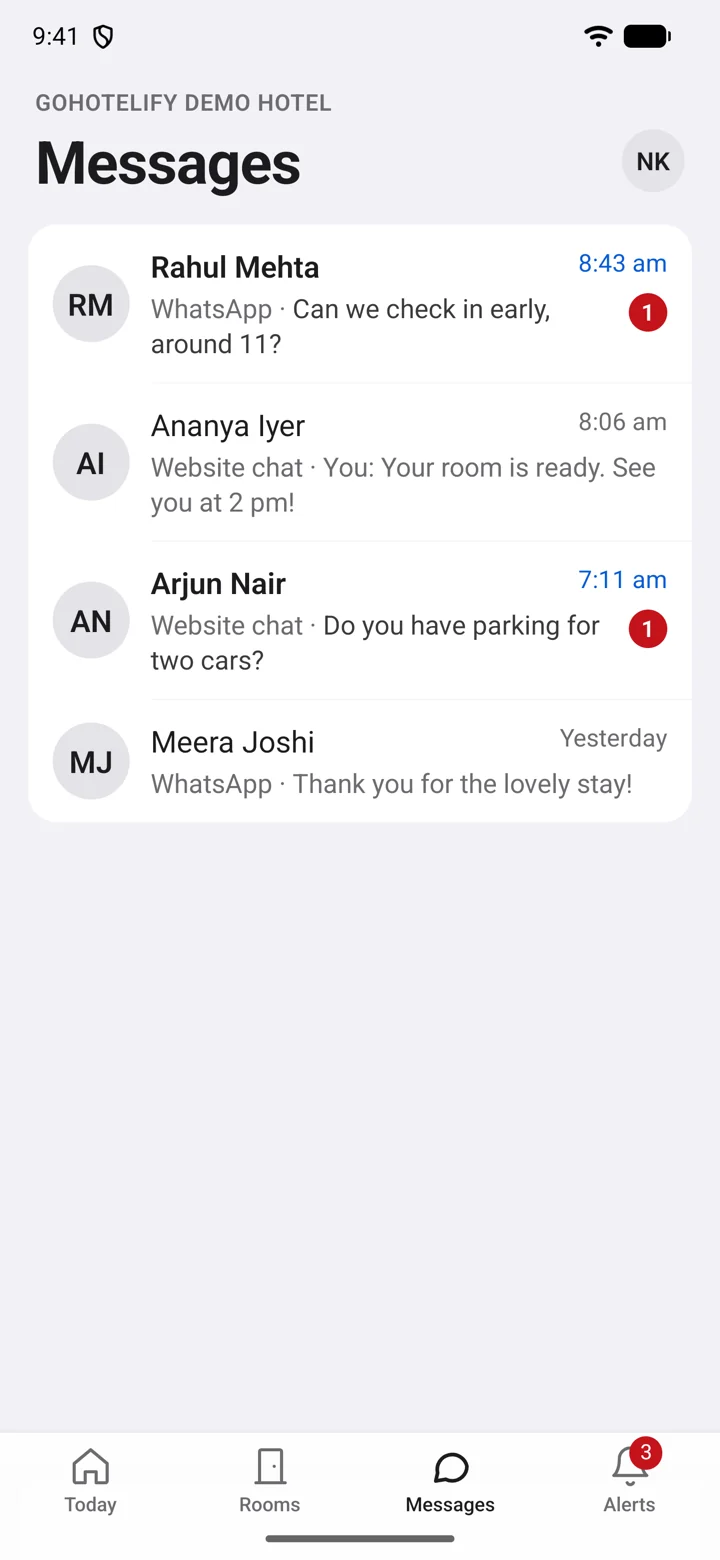
What it does
For owners and the desk
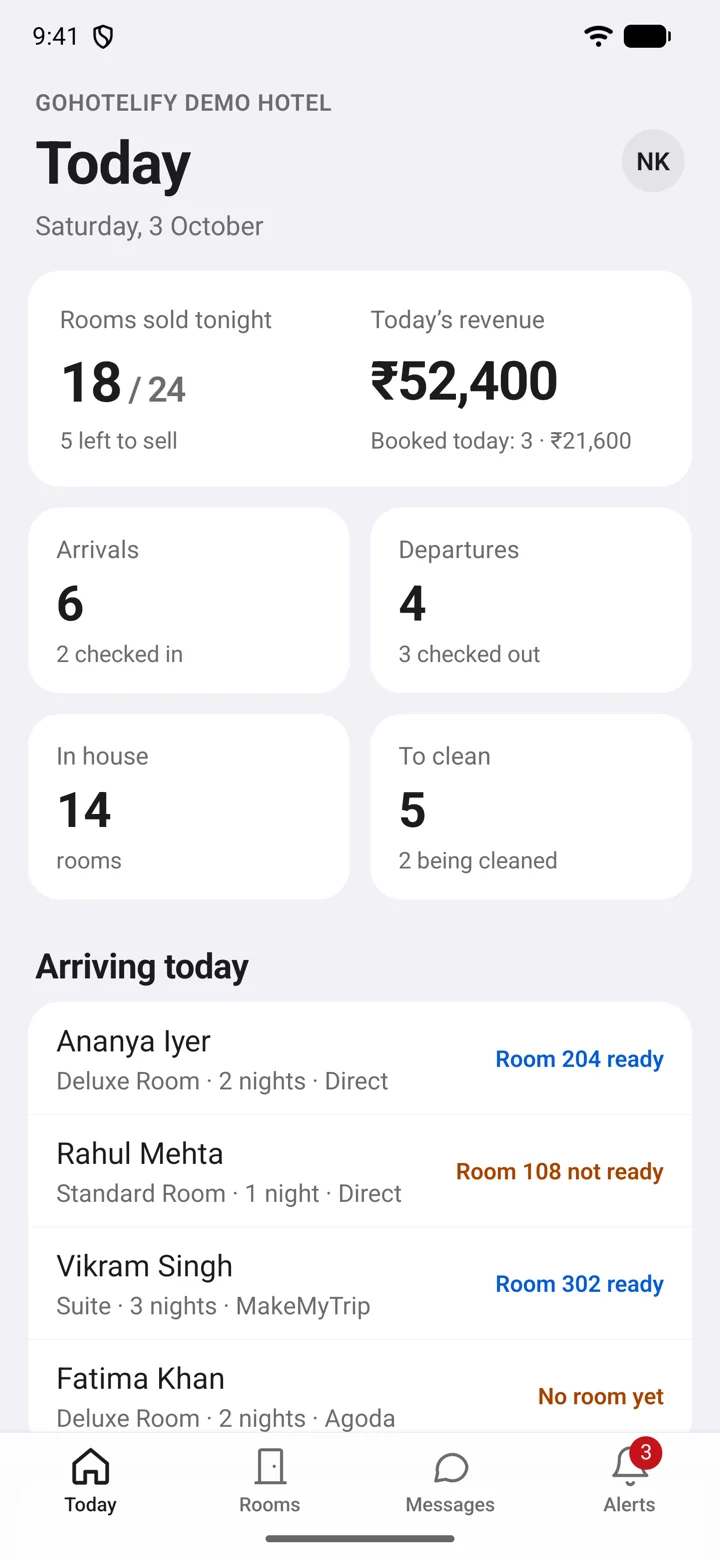
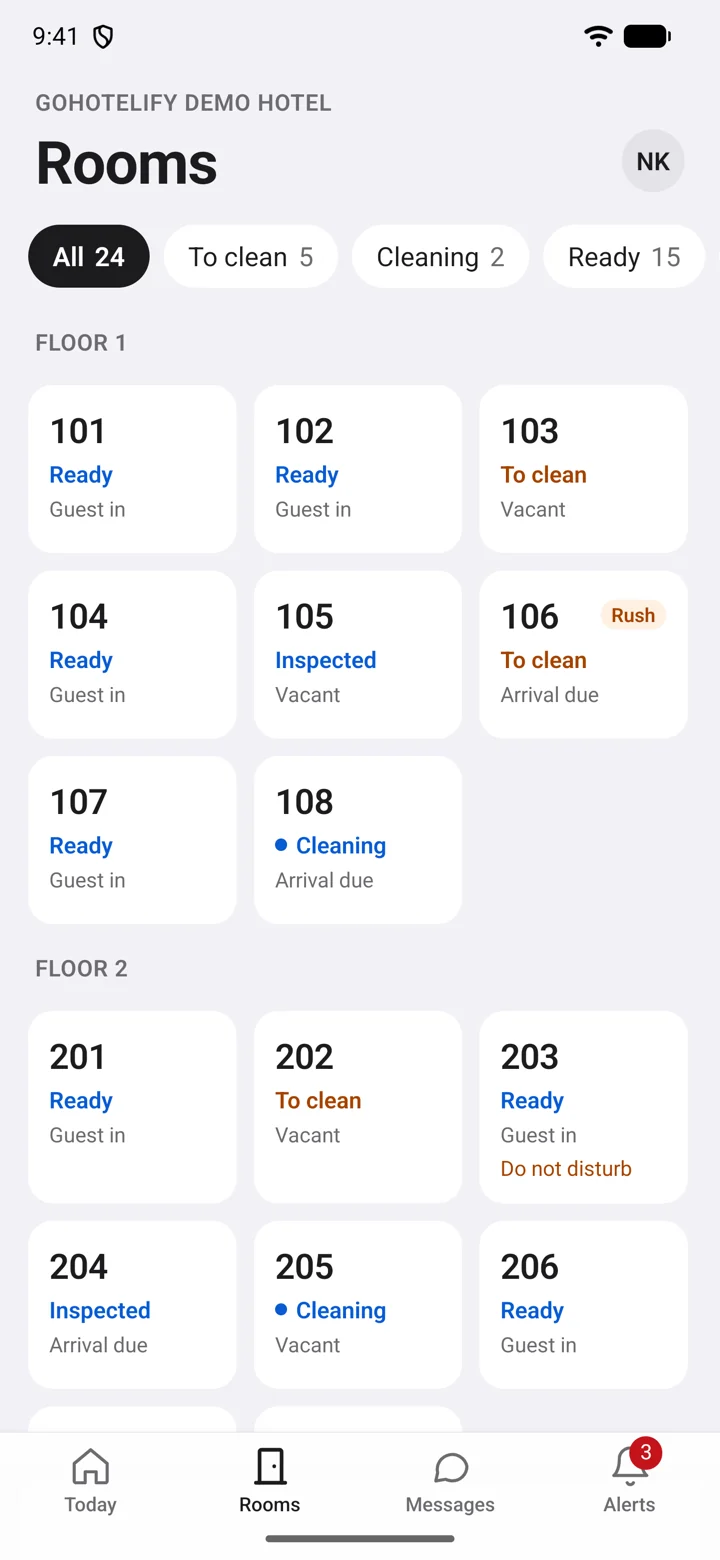
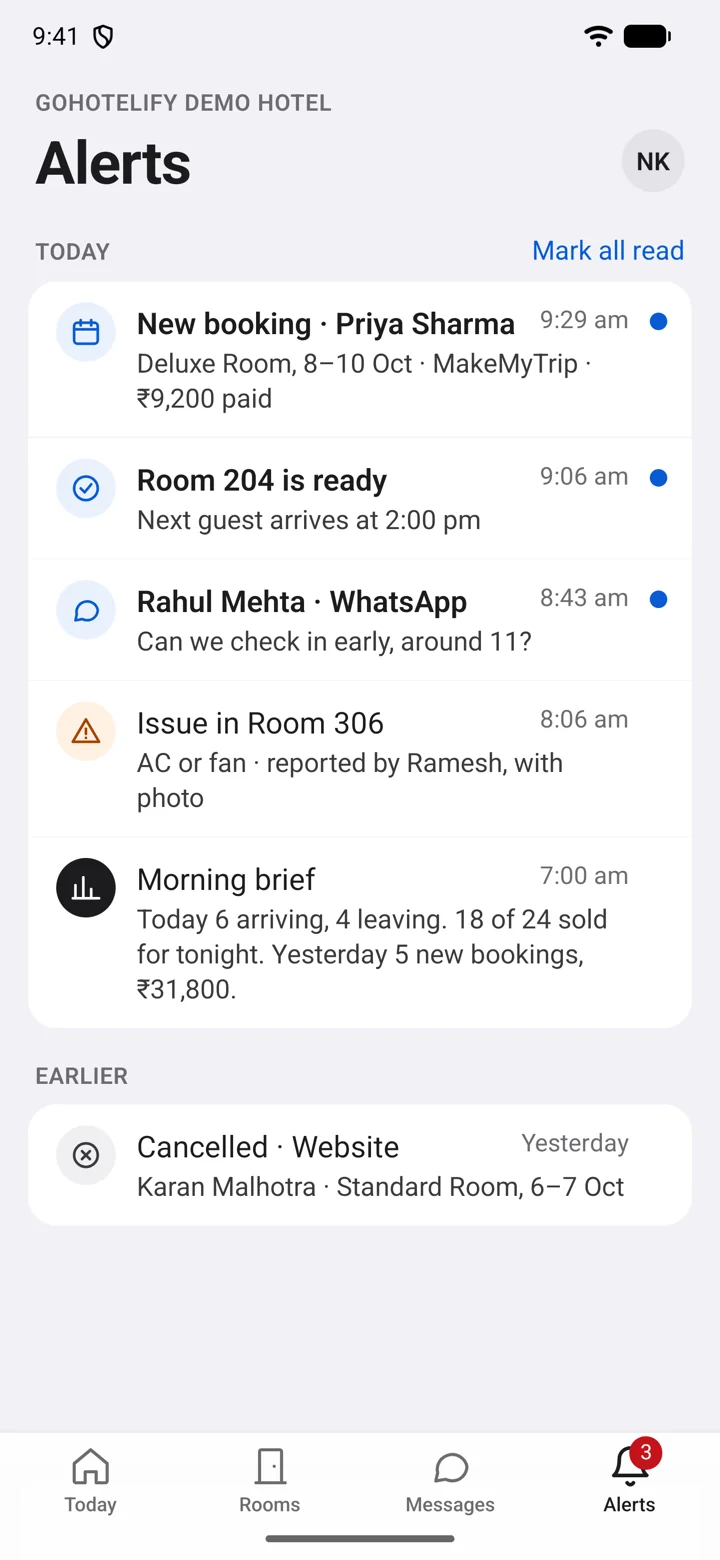
New bookings and cancellations the moment they happen. Guest messages from your website chat and WhatsApp, with replies from the phone. Today’s rooms, arrivals and departures at a glance.
For housekeeping
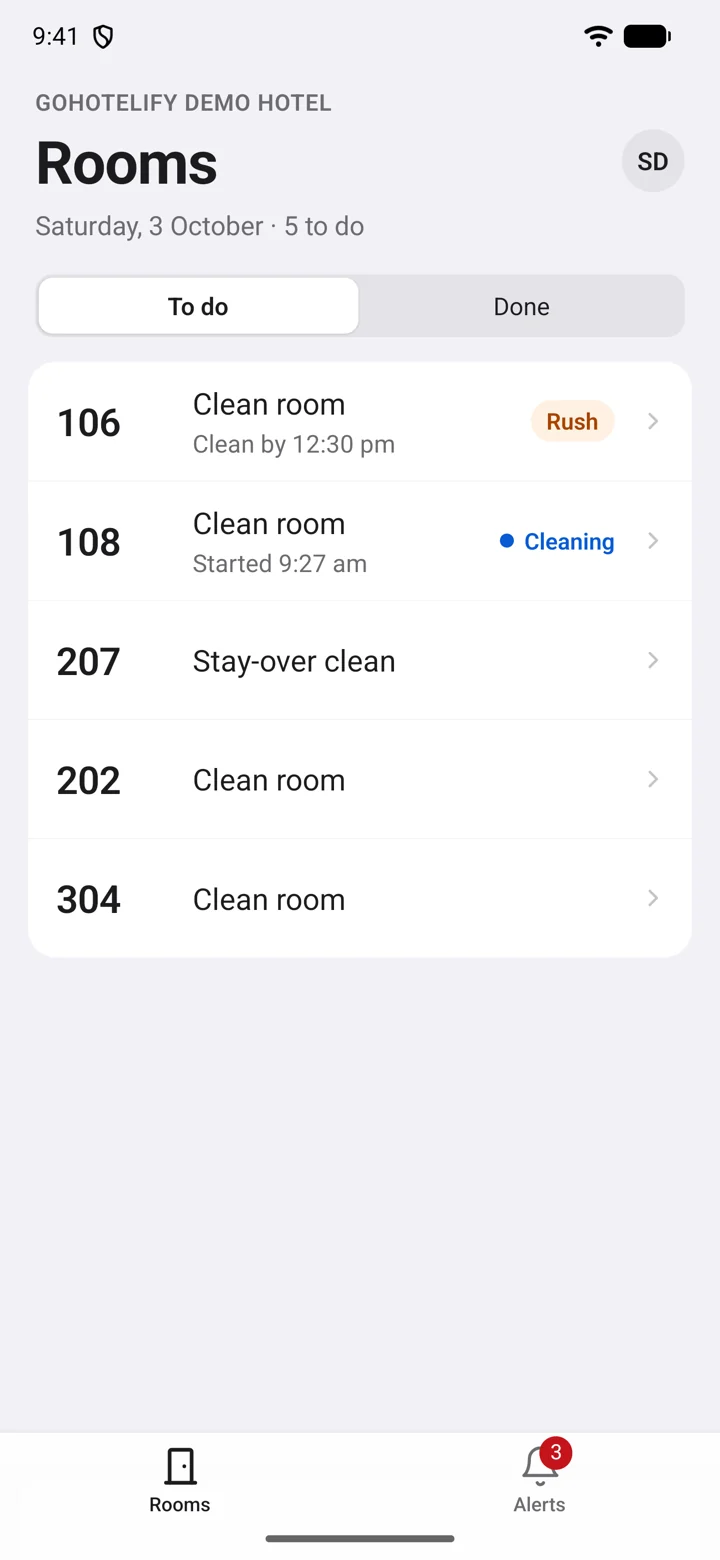
Your rooms for today, rush rooms first. Start and finish a room with one tap — it works without signal and sends when you are back online. Report a problem with a photo.
Alerts you control
Only your hotel’s events, never ads. Switch any kind of alert off in your account. A short report every morning at 7.
English and हिन्दी
Large text, clear words, and the whole app in Hindi for staff who prefer it.
How to install
- Tap Download for Android on your phone.
- Open the downloaded file from your notifications or the Downloads folder.
- If Android asks, allow your browser to install apps. This appears once because the app comes from our website, not the Play Store.
- Open GoHotelify and sign in with the email your hotel added you with.
Staff accounts are created by your hotel in GoHotelify. If you cannot sign in, ask your hotel’s owner or manager.
Privacy and safety
No ads and no tracking. The app asks only for notifications (your hotel’s alerts) and the camera (a photo when you report a problem in a room). Read the privacy policy, including how to delete your account.
Updates: small fixes arrive in the app by themselves. When a new version needs installing, the app tells you and brings you back here.
To check your download, its SHA-256 is 49f150648541cdb357a50f772e7ad4b39c1022f2eea1f8ab2c95c3ff119d9254
Questions: info@stairio.com